
Free tool · no sign-up
Print your GPX route on a topo map
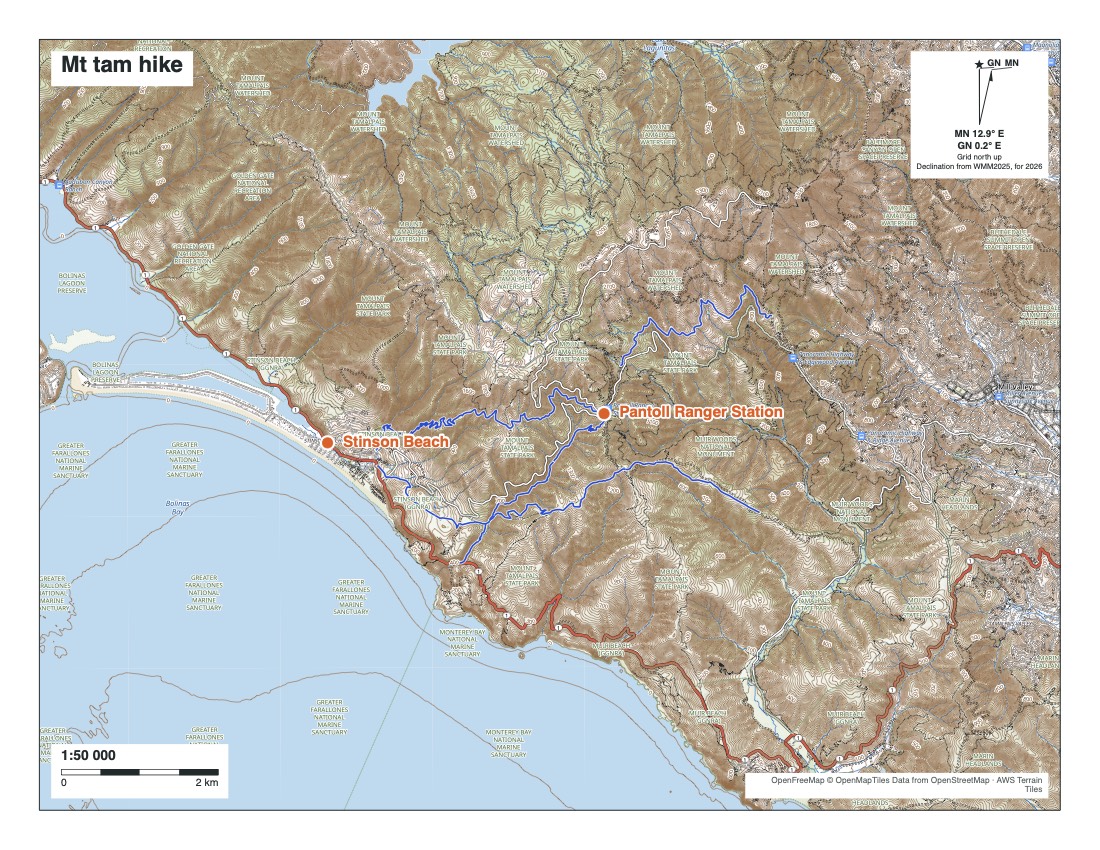
Drop a GPX track or route and get a PDF of it on a topographic map with contours, at any paper size and over as many pages as it needs. Free, with no account.
No file to hand?
Your file stays on your computer. Nothing is uploaded. How your files stay private
What happens
- 1
Drop your GPX
A track from your watch or phone, a planned route, or a set of waypoints. It appears on the map right away.
- 2
Choose the style
Topographic with contours, USGS-style, or aerial, then the colour and weight of the route.
- 3
Choose the paper
A4, A3, Letter or Tabloid. A short route fits one page; a long one is split over as many pages as it needs.
- 4
Download the PDF
A print-ready PDF with a scale bar and a north arrow, to fold into a pocket or a map case.
Questions
- Is my GPX uploaded anywhere?
- No. The file is read and drawn in your browser. Only the base map is downloaded, the same way any web map loads.
- Is there a page or size limit?
- No. Print on any of the paper sizes, over as many pages as the route needs, at no cost.
- What can the GPX hold?
- Tracks, routes and waypoints, from Garmin, Strava, Komoot, Gaia GPS, CalTopo and anything else that writes GPX. KML and GeoJSON work too.
- What scale will it print at?
- The closest of 1:5 000, 1:10 000, 1:15 000, 1:24 000, 1:25 000 and 1:50 000 that holds the route on one page; anything longer goes over several pages. The Print panel lets you pick another scale.
- Does it cost anything?
- No, and you do not need an account. Sign in only if you want to keep your maps and open them on another device.
- Where does the map data come from?
- OpenStreetMap, with contours and shaded relief from public elevation data, and USGS maps and imagery in the United States.
Ready when you are
More free tools
- GeoJSON to PDFTurn a GeoJSON file into a print-ready PDF map.
- KML to printable mapPrint a Google Earth or My Maps KML on a topo map.
- GPX to GeoPDFA georeferenced PDF map of your route, for Avenza Maps and other map apps that show where you are.
- GPX, KML and GeoJSON converterTurn any of the three into either of the others, in your browser.